All Your Trading Accounts.
One Dashboard.
Manage all your trading accounts from one dashboard. Built-in copy-trading with 1:n, hedge, and PropFirm modes — set up in minutes. No credit card required.
GDPR-compliant • EU servers • Isolated infrastructure per customer
Everything you need.
Nothing you don't.
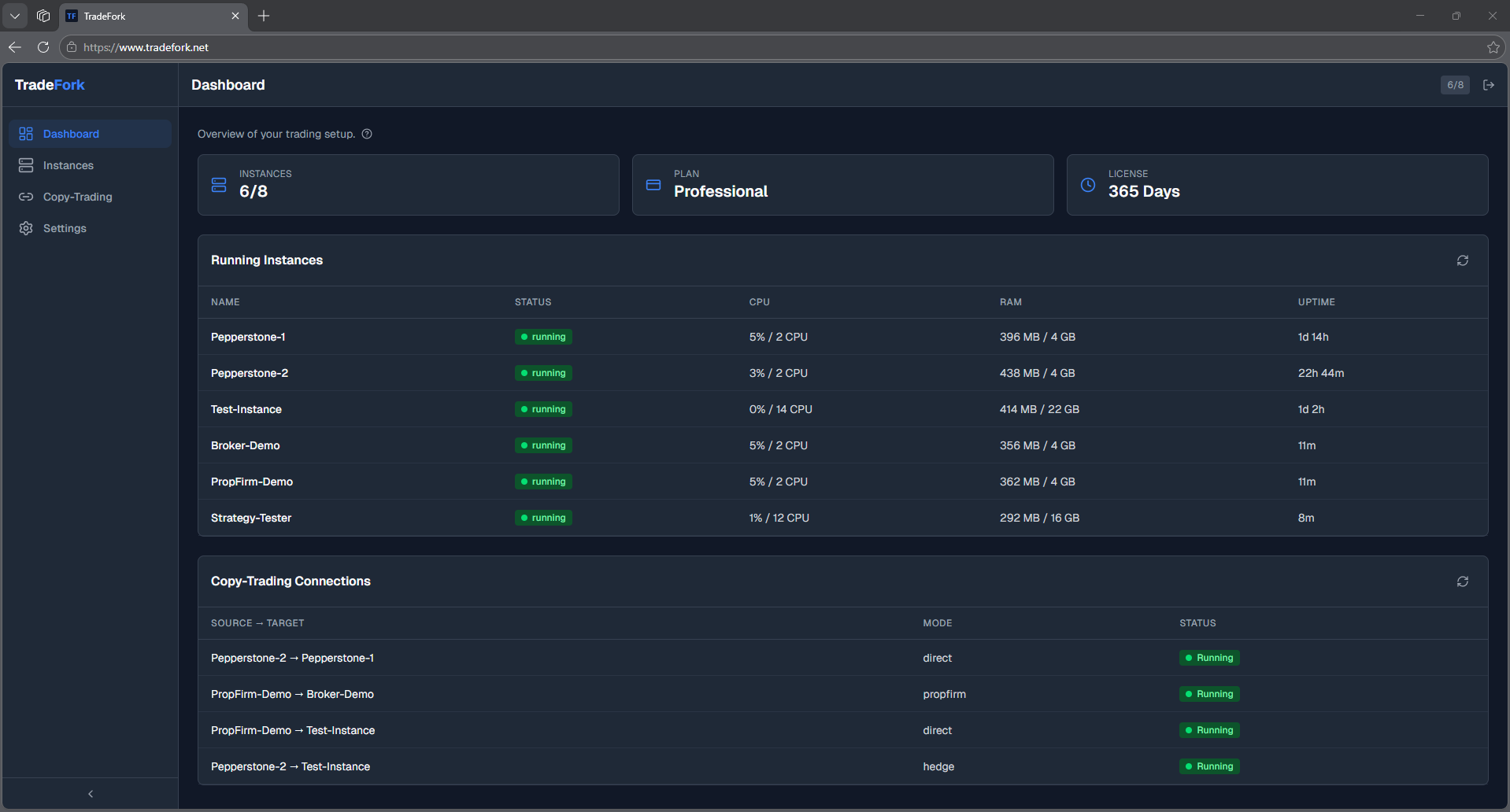
Central Web Dashboard
Start, stop, and monitor all your trading accounts from a single interface.
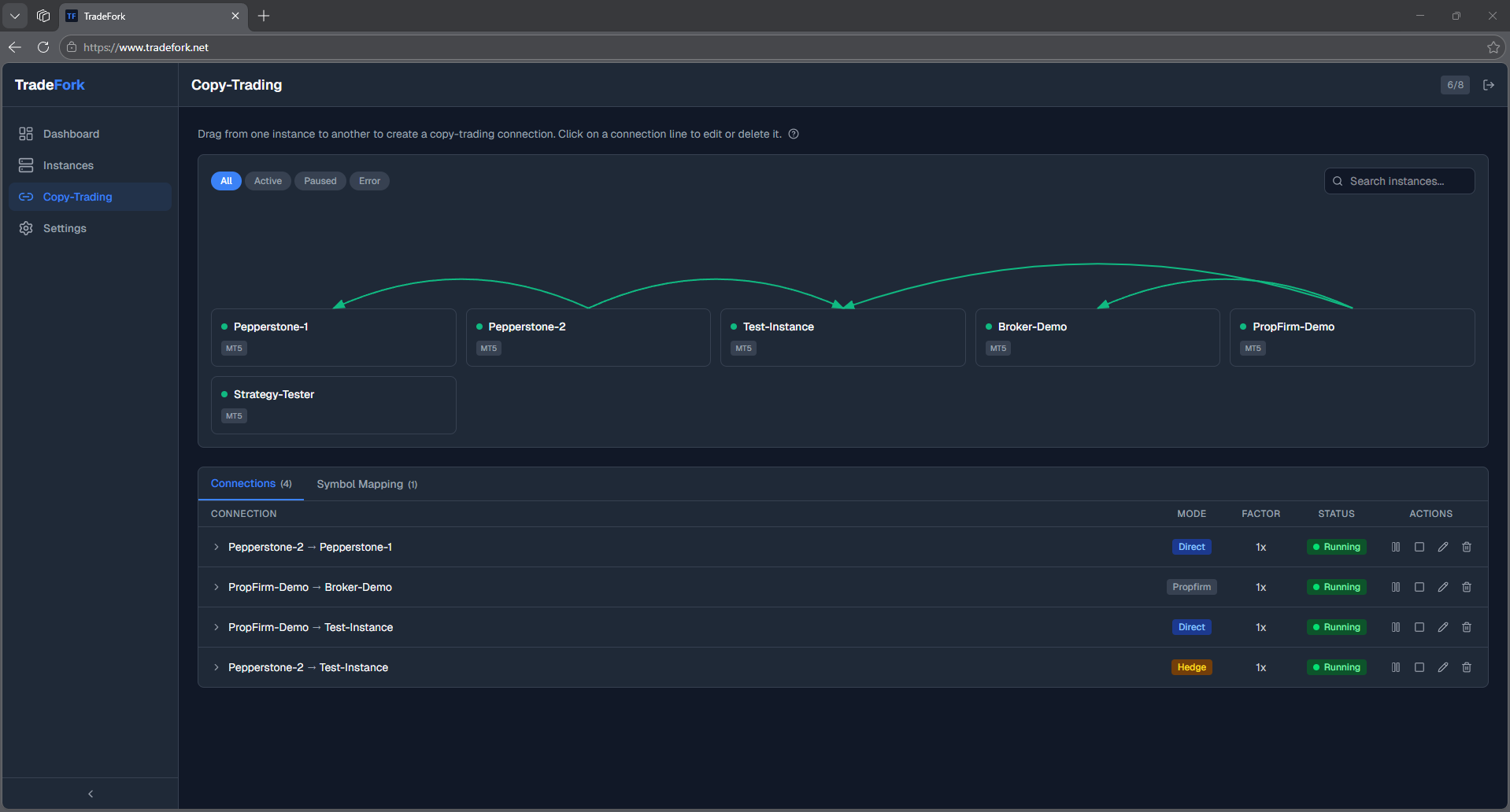
Flexible Copy-Trading
Copy trades 1:1, 1:n, or n:1 between fully isolated accounts. Set up in minutes — with configurable volume scaling and hedge mode.
PropFirm Mode
Automatically hedge your PropFirm trades to a separate account with scaling — turn challenge losses into profits to cover your costs.
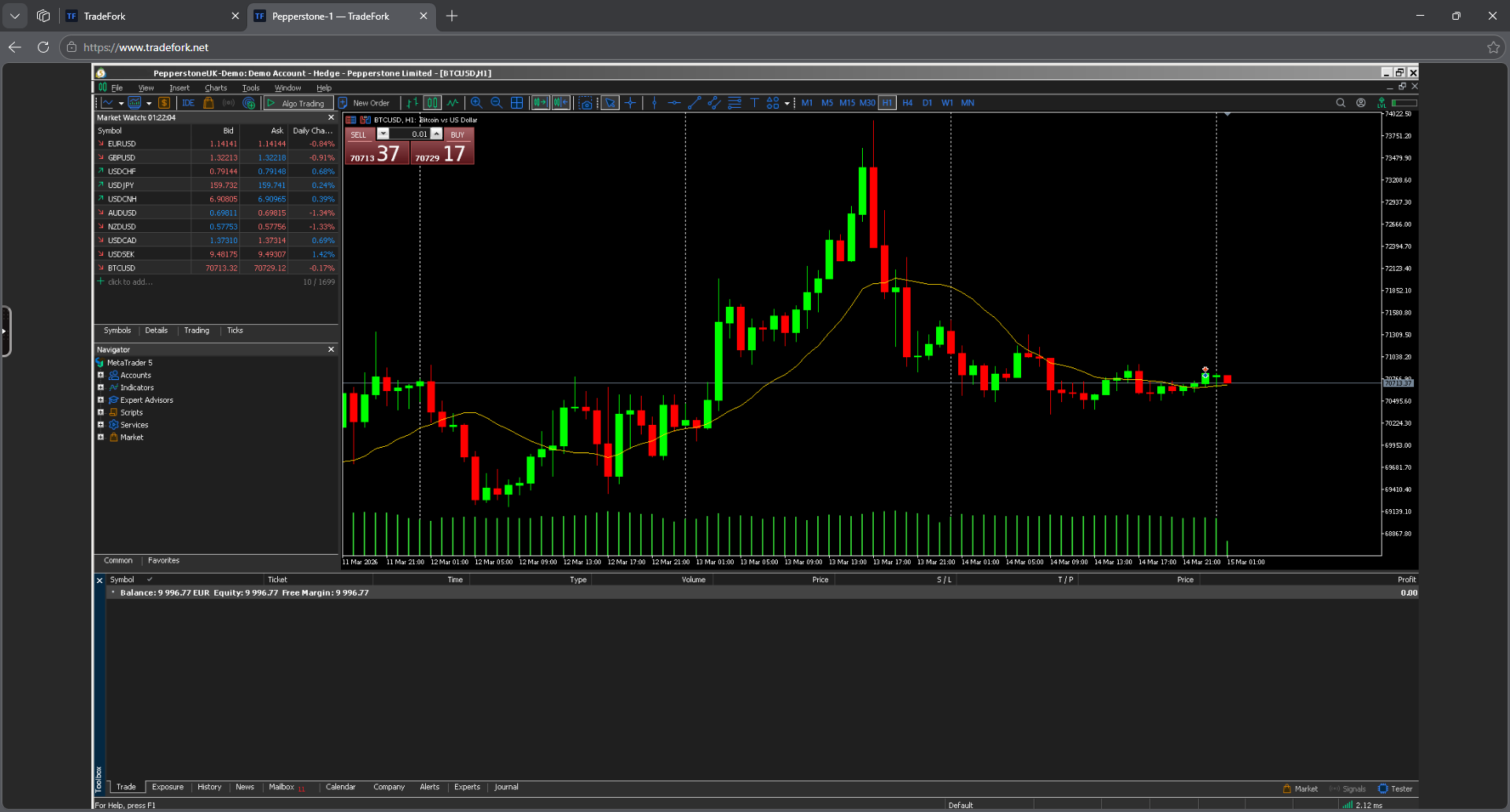
Browser Terminal Access
Access any trading terminal directly in your browser — no RDP needed.
Cloud or Self-Hosted
Choose our fully managed cloud — or install on your own Linux server for complete control.
Your Data Stays Private
Each customer gets a dedicated, isolated server. Your trading data is never shared or accessible to others.
Simple, Transparent Pricing
All features included in every plan. Choose cloud or self-hosted.
How TradeFork compares
Cloud Plans
Fully managed — we handle hosting, updates, and backups.
Professional
accounts
By subscribing, you agree to our Terms of Service and Privacy Policy
Enterprise
accounts
By subscribing, you agree to our Terms of Service and Privacy Policy
Self-Hosted
Full control on your own server
- Unlimited trading instances
- Install on any Linux server
- Full control over data and configuration
- All features included
- Community & email support
You provide the server. We provide the software.
Trading involves risk. We accept no liability for trading decisions or financial losses arising from use of this software. See our Terms of Service for details.
Questions about the right plan? Contact us
All plans include
Supported Platforms
We're working to support all relevant platforms.
Frequently Asked Questions
How quickly can I get started? +
Cloud plan: with the free trial you're in under 3 minutes — enter email, confirm, open dashboard. We provision the server, MetaTrader containers, and browser terminal access for you. You only need to log in to your broker account. Self-Hosted: a Linux server (4 GB RAM minimum) and our installer command — typically ~10 minutes.
What does the trial cost? What happens after 7 days? +
The trial is 7 days free, no credit card, no auto-renewal. We email you before it expires. If you don't upgrade, the trial expires and your server is deleted after a 4-day grace period. No traps, no hidden fees — and you can upgrade anytime without re-setup.
Does TradeFork work with demo and live accounts? +
Yes. TradeFork connects to any broker account you choose — demo or live. As with any trading software, you are responsible for the market risk of your trades. We recommend validating new strategies and configurations on demo accounts first before deploying them on live accounts.
How does copy-trading work in practice? +
You select a source account (the one you trade) and one or more target accounts. Each trade is replicated in real time — 1:1, one-to-many, or many-to-one. Configurable per connection: volume scaling (e.g. ×0.5 or ×2), hedge mode (opposite-direction position), and symbol mapping (e.g. EURUSD ↔ EURUSD.r between different brokers). Each account runs in a fully isolated container.
Can I use TradeFork for my PropFirm challenge? +
Yes — PropFirm hedge mode is one of our core features. You enter the challenge fee (e.g. €200) and the PropFirm's max-drawdown limit; TradeFork automatically calculates the lot-size ratio so that when the drawdown is hit on the challenge account, the hedge profit on an independent broker exactly covers the challenge fee. Whatever happens with the challenge itself, the cost is covered. Volume scaling and buy/sell flip are also available independently.
Where does my data live? Is it GDPR-compliant? +
Cloud plans: your server instance runs on EU hardware (OVH, France/Germany). Each customer gets a dedicated, fully isolated instance — your trading data is never shared with other customers. GDPR-compliant including a Data Processing Agreement (DPA) on request. Self-Hosted: 100 % your hardware, your control, no data transfer to us.
Can I change or cancel my plan anytime? +
Yes — both directly in the customer portal, one click. Upgrades take effect immediately and are prorated. Downgrades take effect at the end of the period. Cancellation also takes effect at the end of the period — you keep full access until your paid period ends. After that you have 30 days to back up your data before we delete the instance.
Cloud or Self-Hosted — which fits me? +
Cloud (€29–€199/month): we host, maintain, back up, and update — you start in minutes with no technical effort. Ideal for 1–25 accounts. Self-Hosted (€99/month): you run on your own Linux server. Benefits: unlimited trading instances, full data control, flat fee regardless of account count. Worth it from ~10 accounts upward, or when compliance requirements mandate your own infrastructure.
Which platforms does TradeFork support? +
Currently: MetaTrader 5 and MetaTrader 4 — both with copy-trading, PropFirm hedge, and browser terminal access (no RDP needed). cTrader and DXTrade are in active development. Symbol mapping enables copy-trading even between brokers with different symbol suffixes.
What if I need help or something breaks? +
Direct email support at [email protected] — typical response within 24 hours. For Cloud plans we monitor your instance automatically and often catch outages before you notice them. Setup guides, video tutorials, and API docs are available at docs.tradefork.net.
Ready to simplify
your trading?
One dashboard, built-in copy-trading, browser access — ready in minutes.